
POS & WORKSHOP SOFTWARE FOR TYRE BUSINESSES
Quote faster. Keep stock moving. Protect your margin.
Bring tyre quotes, branch stock, workshop jobs and margin reporting together—so your team can see what needs doing next.
See how TyreX supports the work from your sales counter to your workshop.
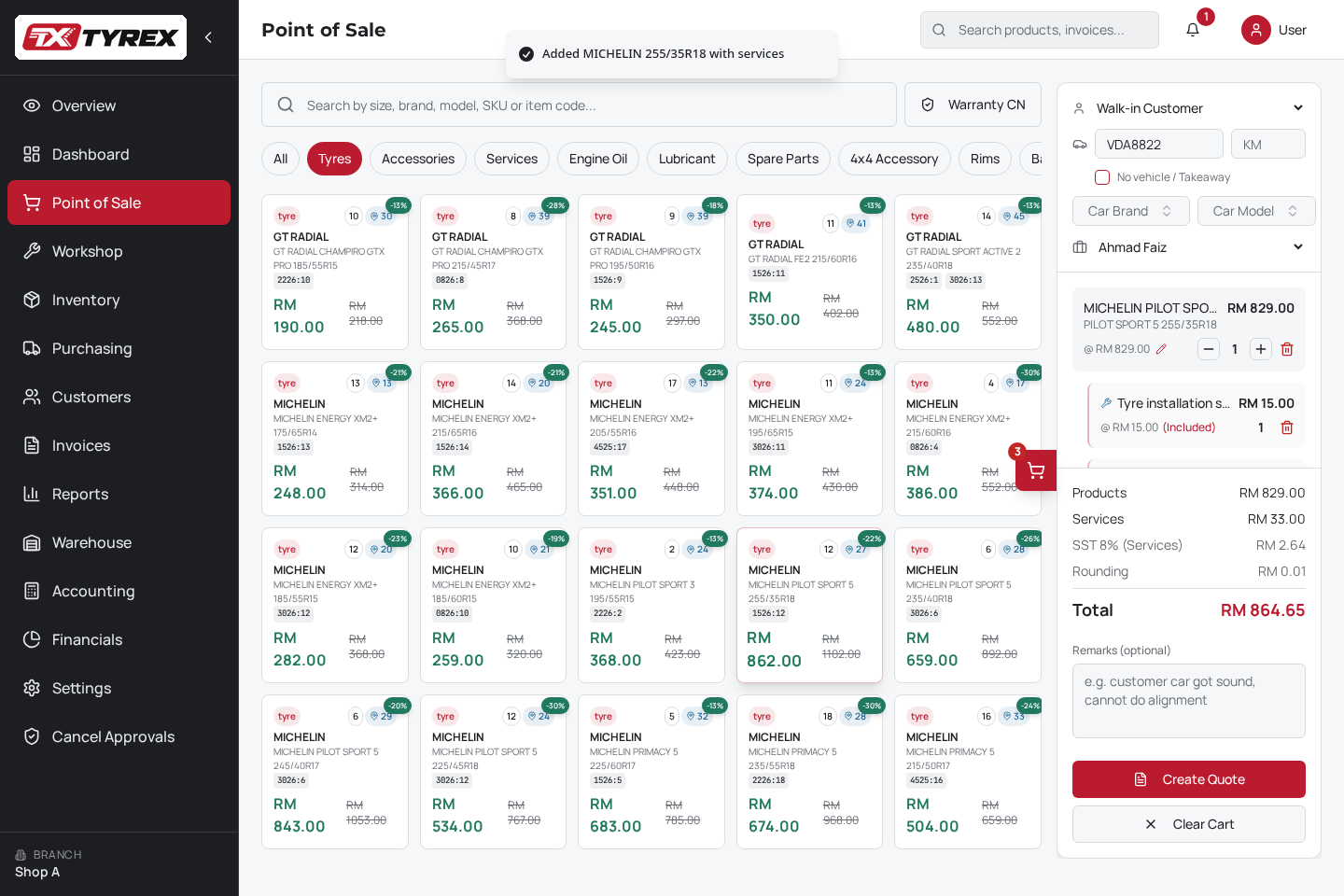
- 01
Search tyres
- 02
Include services
- 03
Create the quote
For owners & multi-branch operators
See your branches without calling every counter.
Review sales, collected payments and outstanding credit across your outlets. Compare branch totals and regional groups from one overview.
- Sales and collections
- Outstanding credit
- Branch-by-branch view
A clearer path from quote to payment.
- 1
Quote tyres and services.
- 2
Check the stock position.
- 3
Follow workshop progress.
- 4
Review the invoice and payment status.
Screens below show connected product areas using separate demo records.
Stock & DOT batches
Know what is on the rack—and where to look next.
Review tyre sizes, branch quantities and DOT batches alongside regional stock counts. Spot low-stock items and check availability before making a promise to the customer.
- Branch quantities
- DOT batch rows
- Low-stock labels
Workshop
One workshop board. Two audiences.
Your team works from the full board—assign bays, open a job, mark it complete. Switch to Display Mode and the same jobs go to a customer screen showing the vehicle, the work in progress and how long it has been running, with no prices and no staff controls.
- Bay assignments and technician
- Completion controls for the floor
- Customer display with no prices
- Bay assignments
- Work items
- Assigned technician
- Detail and Complete
Drag a job between bays to reassign it, open its detail, or mark it complete when the car is done.
Cost & margin
See the margin behind your sales.
Review revenue, cost of goods sold and gross profit, with products and services shown separately. Use the breakdown to understand where the reported margin comes from.
- Products and services split
- Revenue and COGS
- Gross profit
Invoices & payments
Keep track of what has been paid—and what is still owed.
Find invoices by number, vehicle or customer. Review payment methods, paid transactions and outstanding credit, with invoice viewing and printing close at hand.
- Search invoices
- Payment method
- Paid or outstanding
Purchasing
Follow purchases from request to stock receipt.
Review purchase requests, purchase orders and delivery progress in one purchasing view. See which records need approval, which orders are awaiting delivery and which invoices still need verification.
- Requests and orders
- Awaiting delivery
- Invoice verification
Switching to TyreX
A clear plan for moving from your current system.
Use the demo to review your stock records, customer data, hardware and branch setup. Agree what can be imported, what needs checking and what your team needs before go-live.
- Your stock records and customer data — what can be imported and what needs checking
- Hardware you already use at the counter
- Branch setup, whether one outlet or several
- What your team needs before go-live
Pricing for your shop and branch setup.
Tell us how many outlets you operate and which workflows you need. We will explain the proposed setup and costs during your demo.
Questions we cover in the demo
- Can I use TyreX for one shop?
- What data can I import?
- Which hardware and integrations are supported?
- What happens when internet access is interrupted?
- Which e-invoice workflows are available?
- How do staff and branch permissions work?
- What support is included?
- Can I export my data?
See how TyreX fits your tyre shop.
Bring us your everyday challenges—quoting, stock checks, workshop handovers or daily reporting. We will walk through the relevant TyreX workflows with you.